

Posted by L’équipe Ameublement à rabais
on September 17, 2026

Table of Contents
- Why choose a standing desk for work
- Benefits for health and well-being at work
- How to effectively alternate between sitting and standing
- Reduction of lower back and neck pain
- Height adjustment and setting for comfort
- Essential accessories to optimize your standing desk
- Myths and realities of standing work
- Conclusion
- Frequently Asked Questions
Last updated: September 18, 2026
Why choose a standing desk for work
Nearly 90% of executives sit for more than 7 hours a day, according to statistics on sedentary behavior at work. This reality raises a fundamental question: how can you maintain your health and productivity in a sedentary work environment? The answer lies in part in adopting a standing desk for work, a solution that transforms the layout of the modern workstation.

Ameublement à rabais offers a comprehensive selection of ergonomic furniture designed to meet the needs of contemporary workers. The standing desk for work is not just a passing trend; it is a direct response to the challenges posed by prolonged sedentary behavior and the evolution of remote work. In 2026, this equipment has become essential for improving physical well-being and professional performance.
Below, we explore the tangible benefits of the standing desk, strategies for using it effectively, and how to integrate it into your workspace.
Benefits for health and well-being at work
A standing desk for work offers measurable benefits for general health. Alternating between sitting and standing reduces the risks associated with prolonged sedentary behavior, particularly musculoskeletal disorders and cardiovascular problems.

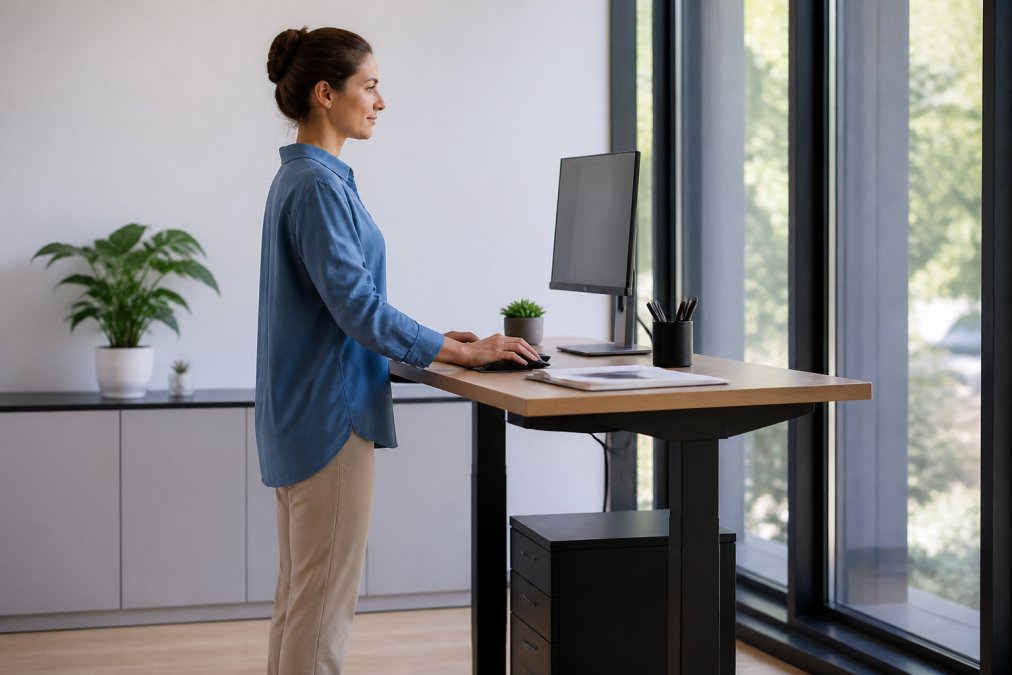
According to the Canadian Centre for Occupational Health and Safety (CCOHS), using a sit-stand desk allows the user to alternate between positions, which is recommended for workplace ergonomics. This alternation stimulates blood circulation, increases caloric expenditure, and reduces the muscle tension accumulated during long periods of sitting.
Workplace well-being also improves psychologically. Workers who can vary their position report better concentration and reduced mental fatigue at the end of the day. This dynamic also fosters a better overall lifestyle, as regular movement helps maintain stable energy levels throughout the day.
How to effectively alternate between sitting and standing
The effectiveness of a standing desk for work largely depends on how it is used. Alternating between sitting and standing should not be random; it should follow a protocol designed to maximize ergonomic benefits while preventing muscle fatigue and joint strain.
Recommended rotation protocol
A recommended approach is to start with a 50-50 split: work seated for 30 minutes, then standing for 30 minutes. After an adjustment period of one to two weeks, this cadence can be adjusted based on individual preferences and the type of work being performed. Tasks requiring intense concentration often benefit from a standing position, while administrative tasks can be accommodated in a seated position.
According to the Canadian Centre for Occupational Health and Safety (CCOHS), regular alternation is essential to prevent fatigue and muscle tension. After four to six weeks of use, you can gradually increase standing time to 40-45 minutes per cycle, provided you stay in tune with your body.
| Duration | Position | Recommended Activity |
|---|---|---|
| 0-30 min | Sitting | Administrative work, reading, virtual meetings |
| 30-60 min | Standing | Creative tasks, phone calls, writing |
| 60-75 min | Sitting | Active break with light stretches |
| 75-90 min | Standing | Continuing work with improved alertness |
Warm-up and stretching protocols at the office
To optimize this transition and prevent stiffness, incorporate light stretches every hour. These simple exercises take only 2 to 3 minutes and transform the overall office work experience by reducing the accumulation of tension.
Before switching to a standing position:
- Neck flexions: Slowly tilt your head forward, then toward each shoulder. Hold for 15 seconds on each side. This exercise wakes up the cervical muscles and prepares the neck to support the weight of the head in a standing position.
- Shoulder rolls: Perform 10 slow backward rolls, then 10 forward. This movement releases tension accumulated in the trapezius and deltoids.
- Hip flexor stretch: Standing, step one foot forward into a slight lunge and hold for 20 seconds on each side. This stretch is crucial because sitting shortens these muscles, which affects standing posture.
During the standing position:
- Calf stretch: Lean against the desk and stretch one calf at a time, keeping your heel on the floor. Hold for 20 seconds. The calves support your weight while standing and deserve regular attention.
- Light marching in place: Alternate between walking slowly and staying still. This movement stimulates blood circulation and prevents stiffness in the ankle and knee joints.
- Core engagement: Gently contract your abdominal muscles for 5 seconds, release, and repeat 10 times. This activation maintains good standing posture without excessive effort.
Before returning to a seated position:
- Lower back stretch: Standing, place your hands behind your head and lean back slightly. Hold for 15 seconds. This stretch compensates for prolonged forward leaning.
- Forward torso fold: Slowly lean forward, letting your arms hang down. Hold for 20 seconds without forcing. This exercise stretches the hamstrings and the lower back.
These warm-up and stretching protocols at the office create a smooth transition between positions and significantly reduce the pain and stiffness that can occur when first using a standing desk.
Reduction of lower back and neck pain
Back and neck pain are among the most common complaints among sedentary workers. A standing desk for work addresses this problem directly by promoting correct spinal alignment and reducing the pressure exerted on intervertebral discs.
60-inch heavy-duty adjustable workbench →
When sitting for hours, the lower back muscles gradually weaken, while the hip flexor muscles shorten. This configuration creates a postural imbalance that leads to chronic pain. Alternating with the standing position restores muscle balance and relieves this accumulated tension.
Neck pain, often linked to poor posture in front of the screen, also decreases when the desk is adjusted to the correct height. A screen positioned at eye level and a keyboard at elbow height prevent excessive neck flexion. This ergonomic prevention proves much more effective than treating pain after it has already appeared.
Height adjustment and setting for comfort
Correct height adjustment is key to maximizing the benefits of a standing desk for work. A poor height, even if minor, can create unnecessary tension and significantly reduce the ergonomic benefits.
When working standing up, elbows should form a 90-degree angle, with arms resting naturally along the body. The screen should be positioned so that your gaze is directed slightly downward, about 20 centimeters below eye level. This configuration minimizes tension in the shoulders and neck.
For the seated position, the same principle applies: feet should rest flat on the floor or a footrest, and thighs should be parallel to the floor. Ameublement à rabais offers sturdy, height-adjustable workbenches, such as the 48-inch Heavy-Duty Height-Adjustable Workbench with power outlets and pegboard, which allows for precise adjustment from 33.1 to 39 inches.
Essential accessories to optimize your standing desk
Optimizing a standing desk for work goes beyond the furniture itself. Accessories play a crucial role in creating a comfortable and productive work environment. However, needs vary significantly depending on whether you are working from home or in a corporate office.
Configuration for working from home
Compact anti-fatigue mat: For small spaces, a mat 60 to 90 centimeters deep is sufficient. It reduces pressure on the feet and legs and encourages slight instability that engages the stabilizing muscles of the ankles and legs. This light muscle activation prevents numbness during long periods of standing.
Configuration for the corporate office
The corporate office offers more space and resources but also imposes compliance standards and collective considerations.
Universal accessories for both contexts
Wrist rests: Essential in both environments to prevent repetitive strain.
Myths and realities of standing work
Several misconceptions circulate regarding the use of a standing desk for work. Clarifying these myths helps adopt a realistic, evidence-based approach.
Conclusion
Choosing a standing desk for work represents an investment in long-term health and productivity. Alternating between sitting and standing, supported by appropriate ergonomic equipment, reduces the risk of musculoskeletal disorders and improves general well-being at work.
Frequently Asked Questions
What are the concrete health benefits of a standing desk?
A standing desk allows you to alternate between sitting and standing positions, which reduces prolonged sedentary behavior. According to the Canadian Centre for Occupational Health and Safety (CCOHS), this alternation is recommended for workplace ergonomics. It promotes better blood circulation, reduces muscle tension, and can decrease back and neck pain associated with prolonged sitting.
How much time should you stand per day with an adjustable desk?
There is no single duration, as the key lies in alternation. Rather than standing for long periods, it is recommended to vary your positions throughout the day. Start by standing for 20 to 30 minutes, then sit for a similar period. This regular alternation helps avoid fatigue and the drawbacks of prolonged standing, while enjoying the benefits of a dynamic workstation.
Does a standing desk really improve productivity and concentration?
Yes, according to 2026 ergonomic guidelines, a work environment equipped with a standing desk tangibly improves physical well-being and professional performance. The dynamic nature of changing positions stimulates alertness and helps maintain focus. However, the improvement depends primarily on the quality of the adjustment and your ability to regularly alternate between sitting and standing positions.
Which accessories are essential for a standing desk?
Key accessories include an anti-fatigue mat for foot comfort, a monitor mount to adjust the height of your screen, an ergonomic wrist rest, and a transition chair for seated periods. These items complement your standing desk and reduce muscle tension. Ameublement à rabais offers height-adjustable workbenches with built-in power outlets, perfect for setting up a complete and functional workspace.
